> For the complete documentation index, see [llms.txt](https://sparksat.gitbook.io/docs/llms.txt). Markdown versions of documentation pages are available by appending `.md` to page URLs; this page is available as [Markdown](https://sparksat.gitbook.io/docs/faqs/sparksat-wallet-use-on-xverse.md).

# Sparksat Wallet use on Xverse

Currently, SparkSat's seed phrase can be used on Xverse or Luminex.

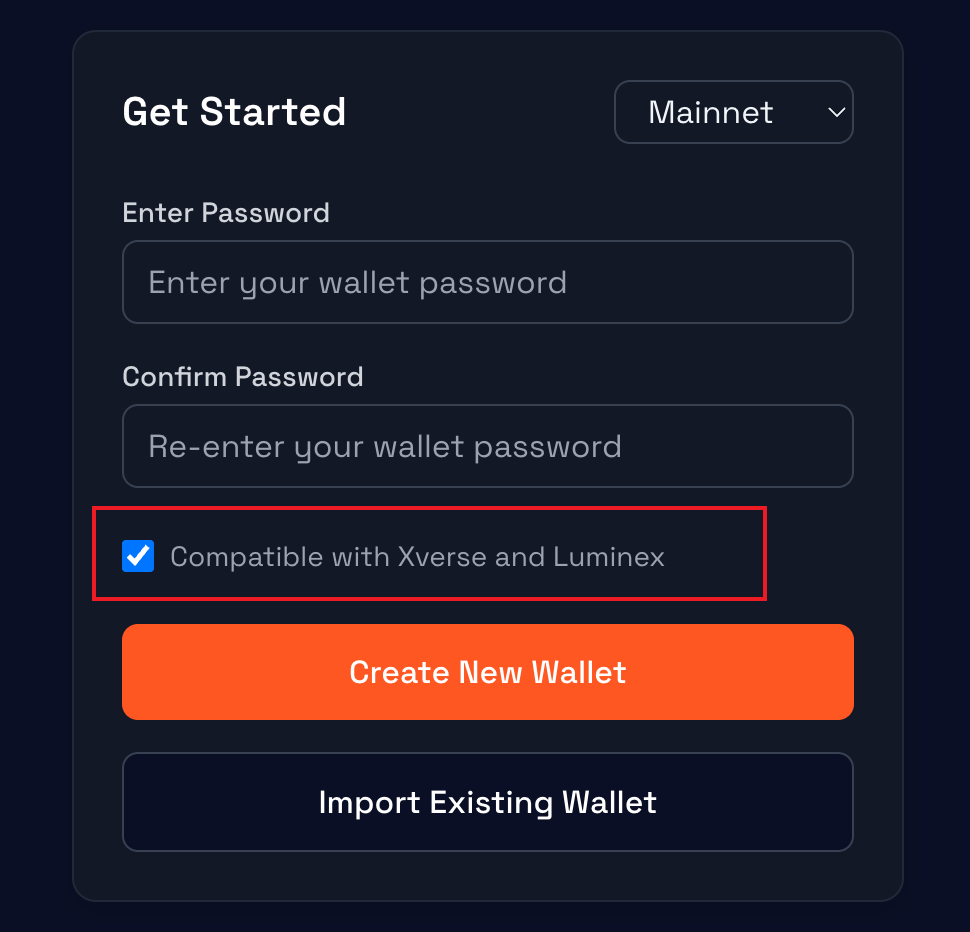
### When using a new wallet in compatibility mode

<figure><img src="https://3980590609-files.gitbook.io/~/files/v0/b/gitbook-x-prod.appspot.com/o/spaces%2F5K06XZ3ce0di9Wabozie%2Fuploads%2F83PY0phjYByCY4HybLQk%2Fimage.png?alt=media&amp;token=e16c1433-e572-48a5-9cc1-42a294711311" alt="" width="375"><figcaption></figcaption></figure>

If you're using an Xverse or Luminex compatible wallet, it's very simple - just import the seed phrase. You'll see that the Spark address displayed by default on the target platform matches the one on SparkSat.

### When using a wallet without compatibility mode.

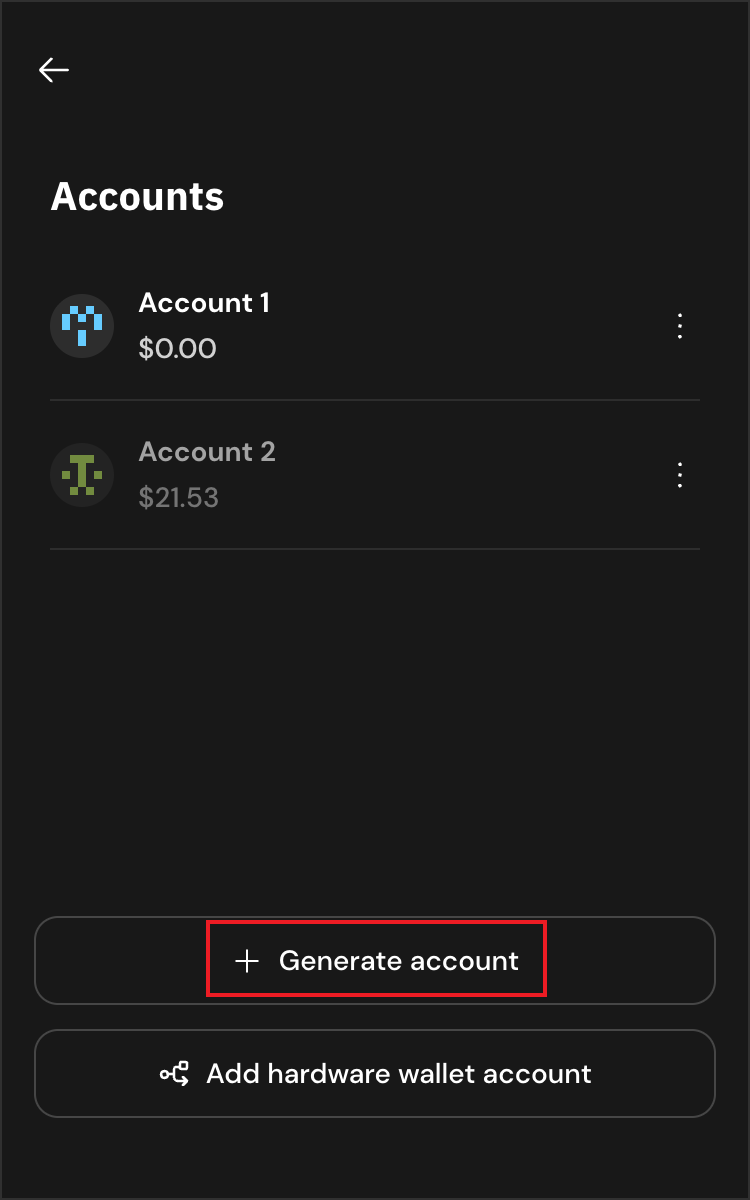
In Xverse, import the same seed phrase, then click on Account1 at the top.

<figure><img src="https://3980590609-files.gitbook.io/~/files/v0/b/gitbook-x-prod.appspot.com/o/spaces%2F5K06XZ3ce0di9Wabozie%2Fuploads%2FytB4yqlxq91XhYpOrfJq%2Fimage.png?alt=media&amp;token=dcb5c60f-dbcb-4d4f-937b-fd3a037b6ee8" alt="" width="373"><figcaption></figcaption></figure>

<figure><img src="https://3980590609-files.gitbook.io/~/files/v0/b/gitbook-x-prod.appspot.com/o/spaces%2F5K06XZ3ce0di9Wabozie%2Fuploads%2FbfADyHvVN6qY0iaHo5Dj%2Fimage.png?alt=media&amp;token=d7254e2e-394e-4fdb-9474-a15e66691260" alt="" width="375"><figcaption></figcaption></figure>

Click on "+ Generate account", then select Account 2.